
Reviews by Daniel McKay
Best Timecode Sync Video Tools (2026 Guide)
Best timecode sync video tools are the secret to a professional and efficient post-production workflow in 2026. Manual syncing using waveforms or claps is a massive waste of time for modern editors. Consequently, every professional multi-camera shoot today relies on dedicated hardware-based timecode to ensure precision.
Furthermore, these tiny devices ensure that every camera and audio recorder shares the exact same master clock. Notably, using these tools can reduce your editing time from several hours to just a few seconds. Therefore, you should consider timecode boxes a mandatory part of your production kit.
Key Takeaways
- Drift-Free Precision: Modern sync boxes use temperature-compensated oscillators to ensure perfect alignment for over 24 hours.
- Universal Compatibility: These tools work with any camera system, including mirrorless models from Sony and Canon that lack dedicated ports.
- Automated Post-Production: Timecode allows for instant synchronization in DaVinci Resolve and Adobe Premiere Pro without manual searching.
The Role of Timecode in Modern Production
Timecode ensures that every frame of video matches the corresponding millisecond of audio perfectly. Therefore, the best timecode sync video gear eliminates the risk of audio drift over long recordings.
This drift often occurs when internal camera clocks run at slightly different speeds. Consequently, your audio might slowly move out of sync during a long interview. Furthermore, dedicated sync boxes provide a much more stable signal than smartphone apps.
Notably, the setup process is now almost entirely wireless via Bluetooth. You can monitor the sync status of ten cameras simultaneously from your pocket.
Why Waveform Sync is No Longer Enough
Waveform syncing relies on the camera’s internal microphone capturing a clean audio signal. However, if the camera is far away from the sound source, the waveform will be muddy or silent.
Consequently, the editing software will fail to find a match. Furthermore, noisy environments like concerts or weddings make waveform syncing highly unreliable.
Therefore, the best timecode sync video tools provide a metadata-based solution that does not rely on sound. Notably, this metadata is baked into the file itself. Consequently, your software identifies the exact starting point of every clip instantly.
Tentacle Sync E mkII: The Global Standard
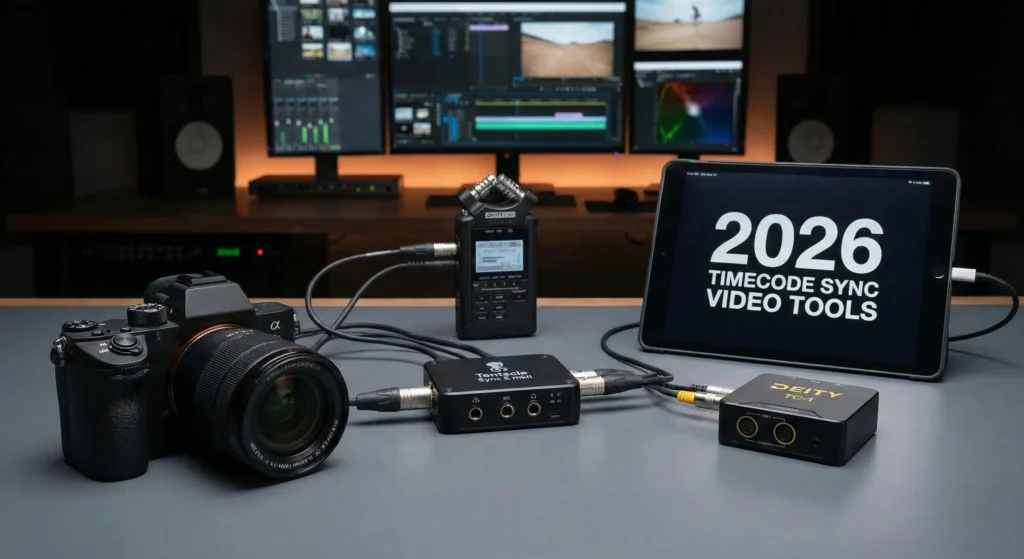
The Tentacle Sync E mkII is often called the best timecode sync video device for small crews and documentary filmmakers. It is incredibly easy to use and features a robust smartphone app.
Furthermore, it records audio timecode on cameras that lack a dedicated BNC port. Notably, the Tentacle software for Mac and PC automates the conversion process perfectly.
Consequently, it has become a must-have for creators working in fast-paced environments. The device is also tiny and weighs almost nothing. Therefore, it does not affect the balance of your gimbal or handheld rig.
Deity TC-1: The Visual Sync Powerhouse
If you prefer a device with a physical screen, the Deity TC-1 is the best timecode sync video tool for you. Unlike competitors, the TC-1 features a bright OLED display that shows the running timecode.
Furthermore, it includes a built-in microphone to record scratch audio while it sends sync data. Notably, this ensures you have a backup audio track even on the smallest cameras.
Consequently, you get dual functionality from a single device. Furthermore, the Deity ecosystem integrates with their wireless microphones for a unified audio experience. Therefore, it is a favorite for creators who already use Deity products.
Setting Up Your First Timecode Workflow
Implementing the best timecode sync video strategy requires a simple three-step process. First, you perform a jam sync by connecting all your boxes together or using a master app.
Furthermore, you attach one box to each camera and your audio recorder. Notably, you must ensure the frame rate on the boxes matches the frame rate of your project.
Consequently, every device will begin ticking in perfect harmony. Therefore, you can start filming immediately without ever worrying about a clapboard.
In addition, you should check your boxes every few hours during a long shoot to ensure they remain perfectly synchronized.
Integrating with Sony and Canon Mirrorless Cameras
Most mirrorless cameras do not have a dedicated timecode input. Therefore, the best timecode sync video tools use the 3.5mm microphone jack to send data.
This process is known as LTC audio timecode. Furthermore, the camera records this signal as a chirping sound on one of the audio channels.
Consequently, professional editing software reads this sound and translates it into a timecode value. Notably, this allows an entry-level camera to behave like a $50,000 cinema camera.
Therefore, you can build a professional multi-cam setup on a much smaller budget.
Software Compatibility and One-Click Sync
Once you finish your shoot, the post-production stage is incredibly fast. Most professional editors consider the best timecode sync video boxes a life-saver during this phase.
In DaVinci Resolve, you simply highlight your clips and select Update Timecode from Audio Track. Furthermore, Premiere Pro offers a similar Create Multi-Camera Source Sequence option.
Notably, this process takes less than ten seconds for an entire day of footage. Consequently, you eliminate the tedious task of searching for sync points manually.
Therefore, you can spend more of your time on the creative aspects of your edit.
Power Management and Field Durability
Modern sync tools are built to survive the rigors of professional sets. Consequently, they feature rugged housings and long-lasting internal batteries.
The best timecode sync video units typically last for 24 to 30 hours on a single charge. Furthermore, they charge quickly via USB-C ports.
Notably, you can even power them from your camera’s USB port for continuous use. Therefore, you never have to worry about the boxes dying in the middle of a scene.
Furthermore, they are designed to operate in extreme temperatures without the internal clock drifting.
The Business Value of Professional Timecode
Notably, the best timecode sync video tools provide a high return on investment for production companies. If an editor saves four hours of work on every project, the boxes pay for themselves in just one week.
Furthermore, it allows you to take on more complex projects with multiple camera angles. Consequently, your production value increases, and you can charge higher rates to your clients.
Therefore, timecode is not just a technical tool; it is a financial one. Notably, it ensures your workflow remains competitive in the modern fast-paced media landscape.
Final Verdict on Sync Tools
In conclusion, choosing the best timecode sync video tool is a mandatory step for any filmmaker moving into professional work.
If you value simplicity and a small footprint, buy the Tentacle Sync E mkII. However, if you prefer a visual display and integrated microphones, the Deity TC-1 is superior.
Both systems will revolutionize how you handle audio and video data. Consequently, you will never go back to manual syncing again.
Furthermore, the peace of mind on set is invaluable. Invest in a proper timecode system today and watch your editing headaches disappear forever.
Affiliate disclosure: Some pages may contain affiliate links. If you buy through those links, we may earn a commission at no extra cost to you.