
Edit & Post
Video Editing Workstations in 2026: What Actually Matters
Choosing a video editing workstation in 2026 is no longer about chasing the highest clock speed. Modern post-production systems prioritize balance, bandwidth, and AI acceleration. Whether you’re cutting YouTube videos or mastering 8K cinema projects, the right workstation removes friction from your creative process instead of becoming part of the problem.
Focused on real-world editing and post-production workflows
Explains tradeoffs instead of chasing spec-sheet hype
Optimized for professional creators in 2026
Why Editing Workstations Changed in 2026
The biggest shift in modern video editing workstations is the move toward unified efficiency. Software now relies heavily on GPU acceleration, dedicated media engines, and AI hardware rather than raw CPU clock speed alone. As a result, storage bandwidth, memory capacity, and decode acceleration have become just as important as processor choice.
Mac vs PC: Two Very Different Philosophies
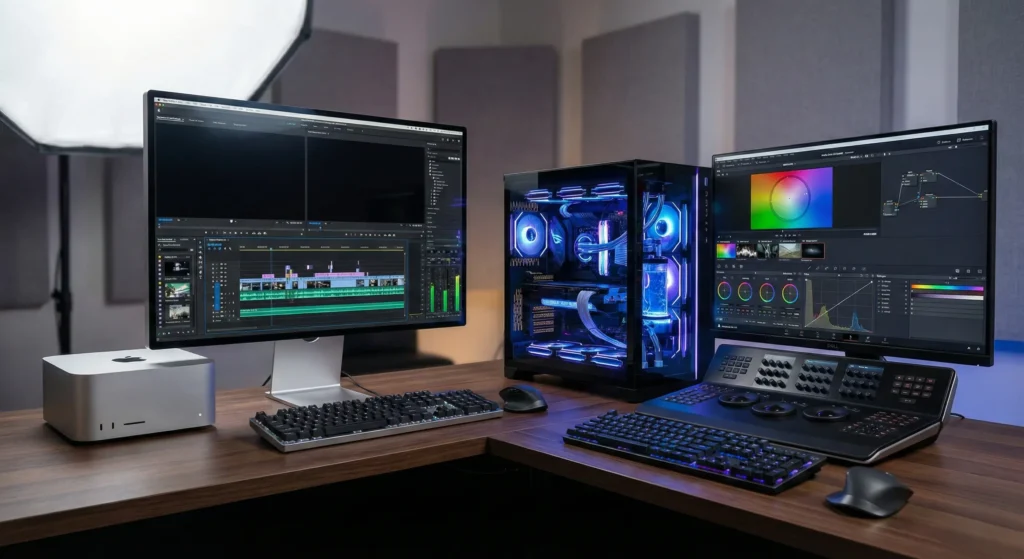
Today’s editing landscape is dominated by two clear approaches. Apple focuses on tightly integrated systems with extreme efficiency and low noise. Custom PC builds, on the other hand, prioritize modularity and raw performance. Neither approach is universally better—the right choice depends entirely on your workflow, codecs, and upgrade expectations.
Leading Workstation Options
Apple Mac Studio (M4 Ultra)
A near-silent, highly optimized workstation designed for ProRes-heavy workflows. Unified memory and dedicated media engines allow smooth playback of multiple 8K streams with minimal power draw.
Custom PC Workstation
Built around high-core-count CPUs and flagship GPUs, custom PCs deliver unmatched performance for VFX, 3D, and GPU-heavy timelines—at the cost of higher power use and complexity.
High-Bandwidth Storage Systems
Multi-drive NVMe setups are now mandatory for smooth playback. Storage speed directly impacts timeline responsiveness, especially when working with RAW or uncompressed formats.
AI-Accelerated GPUs
Modern GPUs handle masking, upscaling, noise reduction, and real-time effects. In many workflows, the graphics card matters more than the CPU.
Core Components That Actually Matter
RAM capacity is no longer optional. In 2026, 64GB is a baseline, while 128GB or more is recommended for serious post-production. GPU memory is equally important, as modern editors rely on VRAM for real-time effects and high-resolution previews.
Cooling and sustained performance matter more than peak benchmarks. Editing sessions often involve hours of continuous load, making thermal stability a critical factor in system choice.
Ultimately, the best workstation is the one that disappears while you work. If your system forces you to manage performance instead of focusing on storytelling, it’s the wrong tool.
Related pages
Affiliate disclosure: Some links may earn a commission at no extra cost to you. Recommendations are based on real-world workflow suitability, not sponsorships.